
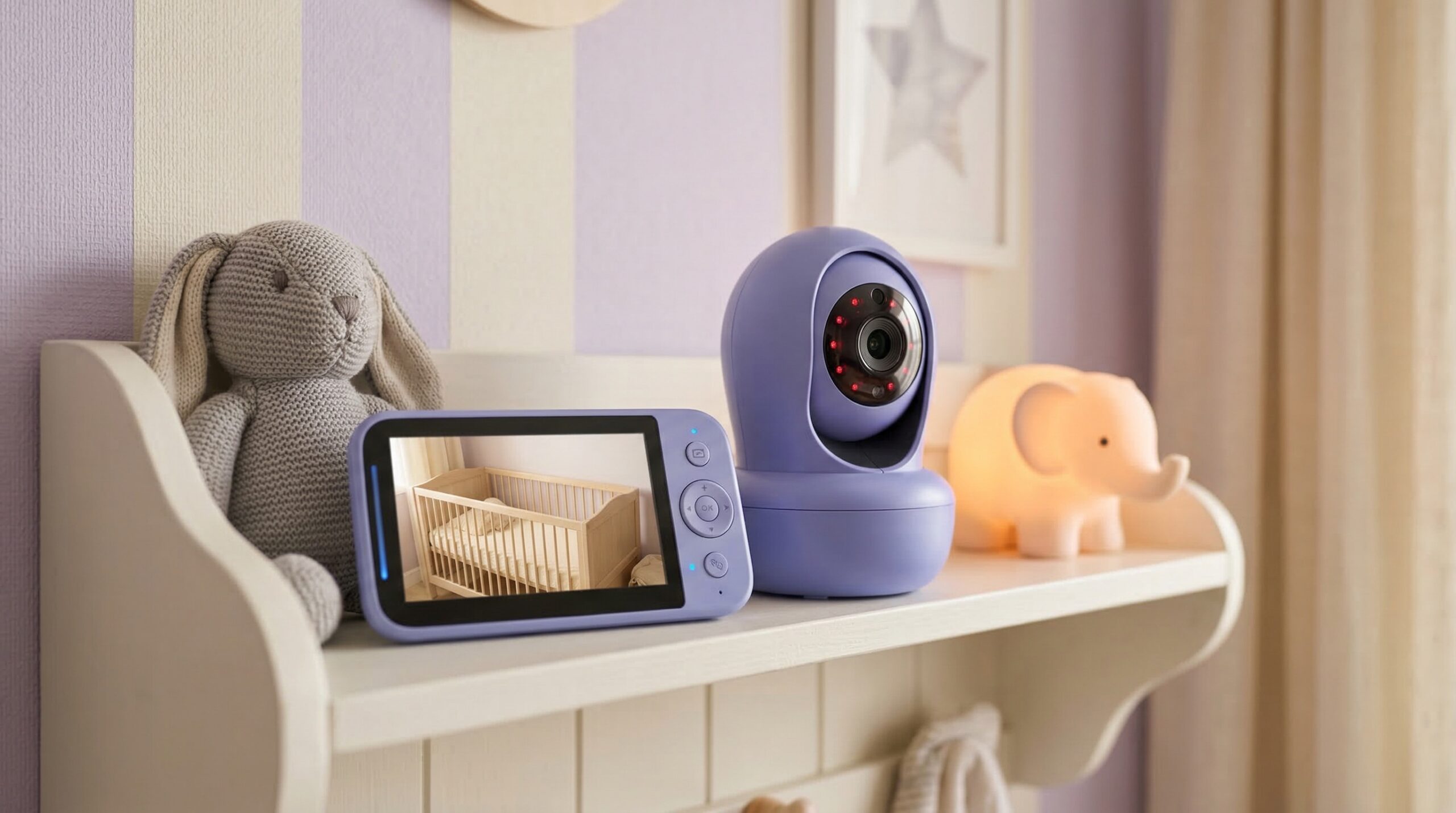
TL;DR
For travel, we generally steer families toward a dedicated, no-Wi‑Fi (FHSS-style) monitor with a parent-unit screen, because hotel networks and captive portals are a common failure point for app-based Wi‑Fi cameras. Expect real-world range and battery life to be lower than the box implies once you add walls, floors, and continuous live video. Whatever you choose, follow safe-sleep basics and keep cords and mounts well out of baby’s reach.
Top Recommended Baby Monitors
| Product | Best For | Price | Pros/Cons | Visit |
|---|---|---|---|---|
| HelloBaby 6” IPS Video Baby Monitor No WiFi | Most reliable hotel setup (no Wi‑Fi) | $47.49as of Oct 23, 10:35 GMT+0000 | Simple, stable local connection; parent-reported battery can run shorter than expected | Visit Amazon |
| GoodBaby 5″ Baby Monitor with Camera and Audio | Best budget travel video monitor | $45.99as of Oct 23, 10:35 GMT+0000 | Strong value with no Wi‑Fi interference; some reports of freezing/charging issues | Visit Amazon |
| Motorola Nursery PIP12 Audio Baby Monitor | Ultralight, audio-only travel monitoring | $49.95as of Oct 23, 07:20 GMT+0000 | Easy pack-and-go for trips/camping; parent reports say battery may not last all night | Visit Amazon |
| Momcozy Contact-Free Smart Baby Monitor (BM08) | Premium no‑Wi‑Fi option for frequent travel | $230 – $270 | Caregiver feedback highlights carry-on-friendly size; higher upfront cost vs basic FHSS monitors | Visit Momcozy |
Top Pick: Best Overall Baby Monitors
HelloBaby 6” IPS Video Baby Monitor No WiFi
Best for: Families bouncing between hotels, grandparents’ houses, and rentals who want the simplest “works without internet” setup for naps and bedtime in unfamiliar rooms.
The Good
- No Wi‑Fi required, which avoids common travel headaches like captive portals and congested hotel networks.
- Caregiver feedback frequently highlights an easy setup and a reliable-feeling connection for day-to-day monitoring.
- Clear picture and usable night viewing are repeatedly mentioned in buyer reviews, which matters when you’re trying to check breathing/movement without walking into the room.
- Good value for a travel-dedicated video monitor — especially if you prefer a parent unit over a phone app.
The Bad
- Battery life can feel shorter in real use (continuous live video drains fast), so plan to charge the parent unit overnight.
- A few owners report occasional glitches, which is exactly why we recommend testing your monitor at home before your trip.
4.4/5 across 1,964 Amazon reviews
“We’ve been using the Hello Baby baby monitor (camera + screen), and it has been such a great addition to our daily routine. The picture quality is clear, even at night, which gives us so much peace of mind when checking on our little one. The connection is reliable, and I love that it doesn’t rely on WiFi no lag or worrying about outages.The monitor itself…” — Verified Amazon buyer (5 stars)
“I use this for my babies nap. I like that the price is lower than the competitors. The range is good and the quality of the image is good as well. It is used mostly in the dark, and the quality is just as good when the light is on in the room. The charge doesn’t last super long, maybe 2 naps at most. Only issue I have is the camera glitches every once and a…” — Verified Amazon buyer (4 stars)
“We purchased this Hellobaby one as our travel monitor. Our criteria were very similar to yours.” — r/NewParents discussion
“The connection is reliable, and I love that it doesn’t rely on WiFi no lag or worrying about outages.” — verified buyer, 5 stars
Our Take: For most travelers, this is the best mix of reliability, simplicity, and price — the kind of monitor you can toss in a bag and trust in a basic hotel room.
Travel setup tips: Place the camera on a stable dresser or shelf across the room so you can see the full sleep space. Keep the camera and all cords well out of reach (no dangling cables near a pack-and-play) and avoid setting anything on an unstable nightstand edge where it could fall.
Battery reality (how to make it through the night): If you’re the type who watches continuous live video, assume you’ll need to plug the parent unit in. To stretch runtime when you’re away from outlets, rely on VOX/ECO-style sound activation (if enabled), lower screen brightness, and set the display to time out so it isn’t lit all night.
Privacy note: A no‑Wi‑Fi monitor reduces exposure to account takeovers and remote access risks that come with internet-connected cameras. You still want basic hygiene: keep the paired units in your control (especially if buying used) and don’t leave the parent unit unattended in shared spaces.
GoodBaby 5″ Baby Monitor with Camera and Audio
Best for: Budget-minded parents who want a straightforward, no‑Wi‑Fi travel monitor for short trips — think a weekend at family’s house where you just need a reliable screen in the next room.
The Good
- Strong value for the price compared with many travel-ready video monitors.
- No Wi‑Fi interference by design, which helps in hotels and older homes with spotty internet.
- Includes talk-back and built-in tunes, which can be handy when you’re trying to settle a baby without walking back in.
- Simple concept: a camera plus a dedicated parent unit — no app logins, no network setup.
The Bad
- Some reviews mention freezing; for travel, that’s a reason to do a quick “wake-up test” before relying on it overnight.
- Charging issues show up in low-rated feedback, so pack the original cable/adapter and consider a backup.
4.6/5 across 13,640 Amazon reviews
“Great product for the price, good display, no wifi interference saw some old pics on the reviews so I had to see for myself to see if this product was bunk. I just want to let people know that the one they send is the updated version that is shown on the pictures, it comes with preset baby tunes and you can talk to your baby it has a built in mic the camera…” — Verified Amazon buyer (5 stars)
“This product was working ok for the first few weeks. It started freezing on the same screen that if you are not paying attention you might think baby is still sleeping.It also stopped charging. It just felt like a waste of money.” — Verified Amazon buyer (1 stars)
Our Take: If your main goal is an affordable, packable video monitor that doesn’t depend on Wi‑Fi, this is a solid starting point — just be realistic about electronics hiccups and test it before night one.
Motorola Nursery PIP12 Audio Baby Monitor
Best for: Families traveling light (or camping) who mainly want wake-up/cry alerts — not constant video — while baby sleeps in the next room, cabin, or campsite setup.
The Good
- Audio-only monitoring keeps packing simple and often feels less fussy than video when you’re in a new environment.
- No Wi‑Fi needed, so it’s a practical option for travel spots with weak internet or no internet at all.
- Two-way talk can be useful for quick reassurance when you’re trying to avoid entering the room and fully waking your child.
- Parent reports specifically mention convenience on trips (including camping), which is a good sign for “real life” portability.
The Bad
- Battery may not last all night in real use — a bigger deal when you’re away from outlets or relying on a power bank.
- Some friction reported around replacement/charging cables, so keep track of your cord and consider a spare.
- No video means no quick visual confirmation — you may still end up doing in-person checks.
4.4/5 across 305 Amazon reviews
“This monitor is EXACTLY what I was looking for. It is super convenient and gave my kiddos and myself a sence of security on our recent camping trip. The rechargeable batteries worked wonderfully and enabled us to listen to and communicate with our kids in our tent after bedtime. My kids loved that there was a two way talk function and felt secure enough to…” — Verified Amazon buyer (5 stars)
“Updating the review after using it for a few months:Battery doesn’t last a whole night. Which may be fine if you’re home but definitely not okay for camping.Another issue is, You’ll be woken up MOTN, if the units are not plugged in, by the beeping sound alerting you of the low battery issue. Ugh.Then my dog chewed one of the charging cables and the units…” — Verified Amazon buyer (3 stars)
“It is super convenient and gave my kiddos and myself a sence of security on our recent camping trip.” — verified buyer, 5 stars
Our Take: If you can live without video, an audio monitor like this can be the most travel-friendly choice — just plan your charging strategy if you need it to run from bedtime to morning.
Momcozy Contact-Free Smart Baby Monitor (BM08)
Best for: Frequent flyers and road-trippers who want a more premium, travel-oriented setup for hotel stays and longer rentals, and who are okay paying more for a compact, purpose-built system.
The Good
- Caregiver feedback frames it as a go-to travel monitor, including notes about carry-on friendliness.
- Positioned as not requiring a Wi‑Fi connection, which can reduce the usual hotel-network setup friction.
- “Contact-free” concept appeals to parents who don’t want extra wearables or sensors on a baby while traveling.
- Momcozy has a visible brand-level review footprint online (helpful when you’re thinking about support and replacements on the road).
The Bad
- Higher upfront cost than a basic camera + parent-unit travel monitor.
- Because we’re working from limited, product-specific buyer detail here, we’d strongly recommend trial-running it at home before a big trip.
4/5 across 2,787 Trustpilot reviews (source)
“This one has been my go-to for travel. It’s small enough to fit in a carry-on, has a solid battery life, and doesn’t require a Wi-Fi connection” — unknown discussion
Price: $230 – $270
Our Take: This is the premium pick for families who travel often and want a compact, no‑Wi‑Fi-oriented experience — but we’d still do a full dress rehearsal at home to make sure it fits your room layouts and expectations.
FAQ
Should I choose a Wi‑Fi baby monitor or a no‑Wi‑Fi monitor for travel?
For most trips, no‑Wi‑Fi (local) monitors are the safer bet for reliability: they don’t depend on hotel network quality, captive portals, or whether the router supports only certain bands. Wi‑Fi/app monitors make sense if you specifically need phone viewing, multiple caregivers on their own devices, or remote check-ins — but expect more setup friction and more variables that can fail in a hotel.
Why do Wi‑Fi baby monitors struggle in hotels and rentals?
Many hotels use captive portals (the “agree to terms” login page) that cameras can’t navigate, or they isolate devices for security so they can’t see each other on the network. Even when it connects, congestion and weak signal through walls can cause lag or dropouts — which is why travel-focused guides often push parents toward non‑Wi‑Fi monitors for trips.
How much range do I actually need when traveling?
In a standard hotel room, you usually only need “one to two rooms” of solid indoor performance. In a suite, rental, or multi-floor home, you’ll want a monitor that holds signal through multiple interior walls and closed doors — and it’s smart to assume the advertised “max range” is optimistic because it’s often measured line-of-sight.
How can I make a travel monitor battery last through the night?
Continuous live video is the fastest way to drain a parent unit. Use sound-activated modes (often called VOX/ECO), lower brightness, and set the screen to time out; then plan to plug in overnight if you want true all-night coverage. If outlets are awkwardly placed, packing a longer cable and a compact extension cord (where allowed) can save a lot of frustration.
Are no‑Wi‑Fi baby monitors “secure”?
They reduce certain risks because they don’t expose a camera to the internet or require an account login that could be compromised. That said, any monitor can be misused if someone gets physical access to the devices — so keep your parent unit with you, don’t leave it unattended in shared rentals, and be cautious with secondhand units with unknown pairing history.
Can a baby monitor prevent SIDS while traveling?
No. The AAP is clear that consumer monitors are not a strategy to prevent SIDS; prioritize safe sleep instead (firm, flat sleep surface; baby placed on their back; no loose bedding). For an overview, see American Academy of Pediatrics safe sleep guidance.
What are the biggest safety mistakes with travel baby monitors?
The big ones are cord hazards and unstable placement: don’t drape cords near a crib or pack-and-play, don’t place cameras or tripods where they could fall into the sleep space, and avoid balancing a camera on a wobbly nightstand. Also stick to the manufacturer-recommended chargers/cables when possible, and keep an eye on product safety alerts via the CPSC recalls database.
Bottom Line
If you’re looking for the best travel baby monitor for most families, we’d start with the HelloBaby 6” IPS Video Baby Monitor No WiFi because it skips the hotel Wi‑Fi headache and delivers the straightforward camera-plus-parent-unit setup travelers tend to trust. If you want to pack ultralight, the Motorola audio monitor is a practical alternative — and if you’re buying on a tight budget, GoodBaby is worth a look as long as you test it before relying on it overnight.
Affiliate disclosure: We may earn affiliate commissions from links on this page at no added cost to you.
Product prices and availability are accurate as of the date/time indicated and are subject to change. Any price and availability information displayed on Amazon.com at the time of purchase will apply to the purchase of this product. Certain content that appears on this site comes from Amazon. This content is provided “as is” and is subject to change or removal at any time.