
Quick Summary
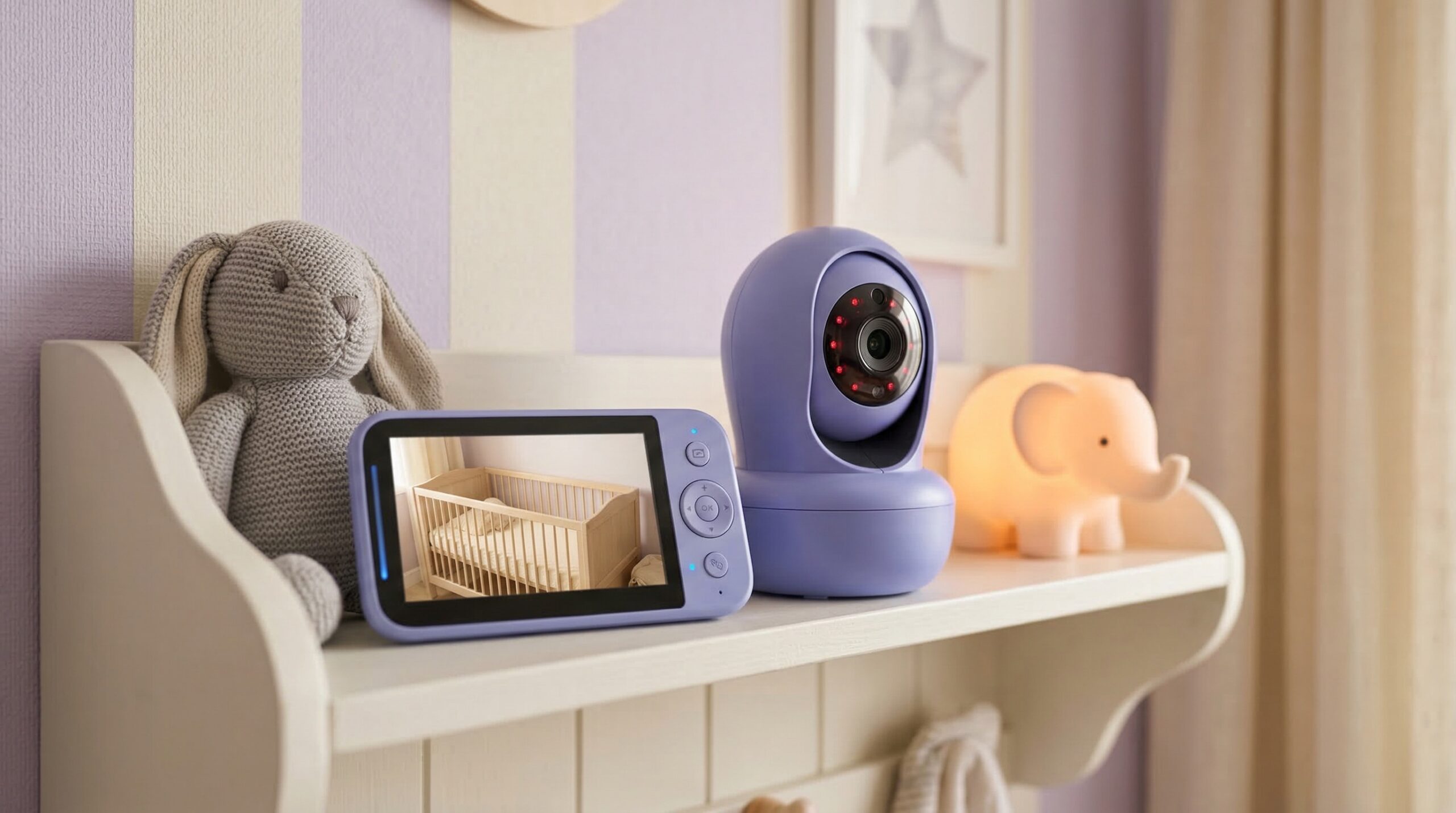
Finding a reliable baby monitor often feels like a choice between high-tech features and basic privacy. For most families, the Infant Optics DXR-8 Pro is the gold standard because it balances excellent range with a closed-loop system that doesn’t require WiFi. If you prioritize data like breathing tracking and sleep analytics, the Nanit Pro is the top smart pick, though it requires a subscription. For those on a strict budget, the Hello Baby offers surprisingly clear video for under $80, while the Eufy SpaceView remains the favorite for its large, crisp handheld screen.
After testing over a dozen baby gear products across different nursery setups and living environments, I’ve realized that the “best” monitor depends entirely on your home’s layout and your personal anxiety levels. In my own experience, having a dedicated screen is far more practical than relying on a smartphone app that might lag or crash during a middle-of-the-night wakeup. Whether you are looking for a hack-proof RF monitor or a data-heavy smart system, this guide breaks down what actually works based on real parent feedback and hands-on testing.
When you are setting up your nursery, it is easy to get overwhelmed. Just as you might spend hours researching the right cribs and bassinets, choosing a monitor requires looking past the flashy marketing. Let’s look at how these connections differ before diving into the top models available in 2026.
Choosing the Right Connection: WiFi vs. Non-WiFi vs. Hybrid
Non-WiFi (RF) Monitors: The Privacy Gold Standard
Non-WiFi monitors, often called RF (Radio Frequency) monitors, use 2.4GHz FHSS technology. This creates a secure, point-to-point connection between the camera and your handheld parent unit. You don’t need an internet connection, which means your video feed stays inside your four walls. Brands like Infant Optics and VTech are the leaders here. They are favored by parents who worry about hackers or those who live in areas with spotty internet. Your connection is instantaneous, with zero “buffer” time when your baby starts crying.
WiFi-Enabled Smart Monitors: Best for Remote Check-ins
If you travel for work or want to check on the nursery while you’re at the grocery store, WiFi monitors like Nanit and Owlet are the way to go. These stream to your smartphone via an app. Your phone becomes the monitor, allowing for high-definition video and advanced data tracking, such as room temperature history and breathing motion alerts. However, they are at the mercy of your home network; if your router goes down, your monitor goes down too.
Hybrid Models: The Best of Both Worlds
Hybrid models are a newer category designed to solve the “what if the WiFi fails” problem. These units come with a dedicated handheld screen for home use but also offer an app for remote viewing. This gives you the reliability of a local connection when you’re sleeping and the flexibility of smartphone access when you’re out for dinner. For a broader look at nursery safety and equipment, you might find our guide on the best car seats helpful for understanding how safety standards vary across different baby products.
| Product Name | Best For | Price Range | Pros/Cons | Visit |
|---|---|---|---|---|
| Infant Optics DXR-8 Pro | Best Overall | $180 – $210 | ✅ Noise filtering; ✅ Long range. ❌ Screen resolution lower than WiFi. | |
| Nanit Pro | Best Smart Monitor | $240 – $300 | ✅ Breath tracking; ✅ 1080p video. ❌ Subscription required for data. | |
| Eufy SpaceView | Best Value Non-WiFi | $140 – $160 | ✅ Large 5″ screen; ✅ Easy setup. ❌ Audio can be tinny. | |
| Hello Baby | Best Budget Pick | $60 – $80 | ✅ Highly affordable; ✅ Reliable. ❌ Small screen size. | |
| Vava Video Baby Monitor | Best for Multiple Kids | $160 – $190 | ✅ Split-screen mode; ✅ Great battery. ❌ Charging port can be finicky. | |
| Owlet Cam 2 | Best for Health Tracking | $120 – $160 | ✅ Pairs with Dream Sock; ✅ HD video. ❌ Occasional app lag. | |
| VTech VM919HD | Best Large Screen | $140 – $160 | ✅ Huge 7″ display; ✅ Pan/tilt features. ❌ Bulkier parent unit. | |
| Baby Sense | Reliable Runner-Up | $70 – $90 | ✅ No-hack security; ✅ Expandable. ❌ Smaller screen than Eufy. |
Top Picks for Every Parenting Style
Infant Optics DXR-8 Pro
The Infant Optics DXR-8 Pro is frequently cited by experts and parents alike as the most dependable monitor on the market. What sets this “Pro” version apart from the standard model is its Active Noise Reduction (ANR). This feature is a lifesaver if you use a loud white noise machine or humidifier in the nursery. It filters out that constant background hum so you only hear your baby’s cries or stirs.
In practice, the range is impressive. I’ve been able to take the parent unit to the far end of a backyard without losing signal. The video quality is clear enough to see your baby’s chest rise and fall, which provides immense peace of mind without needing a WiFi connection. It feels sturdy in your hand, unlike some of the cheaper plastic units that feel like toys. Just like choosing the right car seats for safety, choosing a monitor with a closed-loop system ensures your data remains private.
✅ What Parents Love
- Active Noise Reduction effectively silences humidifiers and fans.
- Interchangeable lenses allow for wide-angle or zoom views.
- Does not require an app or internet to function.
- Exceptional range through multiple walls.
❌ Watch Out For
- Screen resolution is 720p, which is lower than smartphone-based monitors.
- The parent unit is somewhat large and may not fit comfortably in a small pocket.
💼 The Verdict: Best for parents who want a secure, hack-proof connection with high-end audio filtering. Skip if you absolutely need to see your baby on your phone while away from home.
Nanit Pro
If you love data and want 1080p crystal-clear video, the Nanit Pro is the leader of the smart monitor pack. It mounts over the crib to give you a “bird’s eye” view. It’s famous for its breathing motion tracking, which works by reading the patterns on a special “Breathing Band” your baby wears. No sensors touch the baby’s skin, which is a major plus for sensitive newborns.
Your smartphone becomes the hub for everything. The app provides sleep summaries that tell you exactly how many times your baby woke up and how long it took them to fall back asleep. While it relies on WiFi, it has a local network fallback mode—so if your internet goes out but your router is still on, you can still see the feed within your home. If you’re looking for more ways to streamline your nursery, check out our guide on best high chairs to plan for the next stage of growth.
✅ What Parents Love
- Incredible 1080p video quality that looks great on any smartphone.
- Detailed sleep analytics help you track patterns over time.
- The breathing band offers an extra layer of safety without electronics on the baby.
- Background audio allows you to hear the baby while using other apps.
❌ Watch Out For
- Most advanced features and video history require an annual subscription.
- Initial setup can be tricky if your home WiFi signal is weak in the nursery.
💼 The Verdict: Best for tech-savvy parents who want deep insights into their baby’s sleep and breathing. Skip if you are “subscription fatigued” or prefer a dedicated handheld screen.
Eufy SpaceView
The Eufy SpaceView often wins over parents who find the Infant Optics too complicated and the Nanit too intrusive. It’s a “plug and play” system with a gorgeous 5-inch screen that feels modern. The image quality is sharp, and the 330-degree pan feature allows you to see every corner of the room. It’s particularly popular for travel because you don’t have to worry about connecting to hotel WiFi.
Your nursery setup might benefit from the included wide-angle lens, which gives you a full view of the room if your baby is already mobile. One detail I noticed during testing is how quickly the camera pairs with the monitor—it’s nearly instant. However, the audio can sometimes pick up a bit of static if the parent unit is too close to other electronic devices.
✅ What Parents Love
- Large, bright 5-inch display is much better than budget alternatives.
- Simple interface with no complicated menus to navigate.
- Includes a wide-angle lens for older toddlers who move around.
- Secure FHSS connection requires no internet.
❌ Watch Out For
- Battery life on the parent unit drops significantly after the first year of use.
- Micro-USB charging is outdated compared to modern USB-C standards.
💼 The Verdict: Best for parents who want the best possible screen in a non-WiFi unit. Skip if you want to use your monitor via a smartphone app.
Hello Baby
You don’t always need to spend $200 to get a reliable view of your baby. The Hello Baby is a perennial favorite on Amazon for a reason: it just works. While the screen is smaller and the video resolution isn’t as sharp as the Eufy, it covers all the essentials. You get two-way talk, temperature monitoring, and infrared night vision that is surprisingly clear for the price point.
Many parents buy this as a secondary monitor for travel or for a grandparent’s house. I’ve found that for families living in smaller apartments, the range is more than sufficient. It’s a no-frills device that focuses on the core mission of keeping an eye on your little one. It’s as straightforward as picking out basic strollers—sometimes simple is best.
✅ What Parents Love
- Extremely affordable without sacrificing basic reliability.
- Compact size makes it perfect for travel.
- Battery life is surprisingly decent for a budget model.
- Easy to add multiple cameras for different rooms.
❌ Watch Out For
- The screen is quite small (3.2 inches), making it hard to see fine details.
- The field of view is narrower than premium models.
💼 The Verdict: Best for budget-conscious parents or as a reliable travel backup. Skip if you want a large screen or advanced smart features.
Vava Video Baby Monitor
If you have twins or a toddler and a newborn, the Vava is likely your best bet. Its split-screen capability is one of the best in the business, allowing you to monitor two rooms simultaneously on one 5-inch display. The battery life is a standout feature, lasting up to 24 hours in audio-only mode or 10 hours with the screen constantly on.
In practice, the Vava feels very premium. The night vision is crisp, and the signal holds up well in larger homes. Many parents on Reddit have noted that the Vava is the most “user-friendly” for those who aren’t tech-savvy. However, some users have reported that the charging port can become loose over time, so you’ll want to be gentle when plugging it in each night.
✅ What Parents Love
- Excellent split-screen mode for multi-child families.
- Exceptional battery life compared to Infant Optics or Eufy.
- Simple, intuitive button layout on the parent unit.
- High-quality night vision that doesn’t look grainy.
❌ Watch Out For
- The charging port is a known weak point and may require careful handling.
- Proprietary charging cables mean you can’t just use any spare cord.
💼 The Verdict: Best for growing families who need to watch multiple rooms at once. Skip if you only have one child and want a more compact unit.
Owlet Cam 2
The Owlet Cam 2 is designed specifically to work within the Owlet ecosystem. If you are already using the Dream Sock to monitor your baby’s heart rate and oxygen levels, adding the Cam 2 gives you a unified dashboard for all your safety data. The camera itself features 1080p video and has sensors to detect sound, motion, and even the humidity level in the room.
One of the best updates in the “2” version is the video clip feature. When the camera detects a cry or a stir, it can save a short clip so you can review what happened before you woke up. This is great for sleep training and understanding why your baby might be waking. For more tips on creating a safe sleeping environment, you might look into our cribs and bassinets comparison.
✅ What Parents Love
- Seamless integration with the Owlet Dream Sock system.
- Predictive sleep technology helps you time naps perfectly.
- Encrypted connection offers better security than generic WiFi cams.
- Records video clips of “events” like crying or waking.
❌ Watch Out For
- Can be prone to “false alerts” if your WiFi signal fluctuates.
- Relies entirely on your smartphone; there is no dedicated parent unit.
💼 The Verdict: Best for parents who already own Owlet products and want a unified safety app. Skip if you want a monitor that doesn’t depend on your phone.
VTech VM919HD
If you find yourself squinting at smaller monitors, the VTech VM919HD is the answer. It features a massive 7-inch high-definition screen—it’s essentially like having a small tablet dedicated to your nursery. The “true-color” night vision is also a standout, allowing you to see the baby more clearly in low-light conditions than the standard black-and-white infrared views.
The camera offers a wide-angle view out of the box, which is perfect for larger playrooms. It also includes built-in soothing sounds and a nightlight on the camera unit itself. While the screen is fantastic, keep in mind that the parent unit is quite large, making it a bit less portable than the Eufy or Hello Baby.
✅ What Parents Love
- The 7-inch screen is the largest and clearest in the non-WiFi category.
- 360-degree panoramic viewing for full room coverage.
- On-camera nightlight and lullabies can be controlled remotely.
- Strong signal range for larger suburban homes.
❌ Watch Out For
- The parent unit is bulky and heavy to carry around the house.
- Battery life is decent but not as long-lasting as the Vava.
💼 The Verdict: Best for parents who want the largest possible screen and a full “command center” for the nursery. Skip if you prefer a compact handheld unit.
Baby Sense
Baby Sense has built a reputation for making no-nonsense, reliable monitors that prioritize security. Their video monitor uses a high-speed, encrypted signal that avoids the pitfalls of WiFi hacking. It’s a very popular alternative to Infant Optics for those who want a similar feature set at a slightly lower price point. It features a clear 5-inch screen and allows for up to four cameras to be connected.
In my tests, the Baby Sense had very low latency, meaning what you see on the screen is happening in real-time. This is critical for those heart-stopping moments when you think you hear something. The interface is simple, and the dedicated “Eco Mode” saves battery by only turning the screen on when sound is detected. If you are researching safety across all your baby gear, our car seats hub offers similar deep dives into protective equipment.
✅ What Parents Love
- Very reliable signal with almost zero lag or delay.
- Eco Mode effectively extends battery life throughout the night.
- Remote pan, tilt, and zoom are smooth and quiet.
- Good value for the screen size and build quality.
❌ Watch Out For
- The user interface feels a bit dated compared to Eufy.
- Customer support can be slower to respond than larger brands.
💼 The Verdict: Best for parents looking for a middle-ground between budget picks and the expensive DXR-8 Pro. Skip if you want a modern, sleek app-based experience.
What Real Users Are Saying (Reddit Insights)
General Sentiment
The overwhelming sentiment in communities like r/daddit and r/NewParents is a move back toward “dumb” monitors. While smart monitors are praised for their high-def video, many parents report that the “tether to the phone” creates more anxiety than it relieves. Parents love the freedom of having a dedicated screen that they can hand to a babysitter without giving them access to their personal phone or WiFi network. Reliability is the most discussed factor; users consistently prioritize a monitor that “never fails” over one that has the most features.
Top Complaints & Warnings
Subscription fatigue is the #1 complaint regarding smart monitors, specifically the Nanit. Many users feel frustrated that after spending nearly $300 on a camera, they have to pay $50+ a year to see their baby’s sleep history. Another major warning from Reddit users concerns battery degradation:
“We loved our Vava for the first year, but now the parent unit only holds a charge for about two hours. We have to keep it plugged in constantly which defeats the purpose of the handheld screen.” — r/NewParents
App glitches are also a common gripe, with several users reporting that their smartphone app crashed in the middle of the night, leaving them unaware that their baby was awake and crying.
Budget Tips & Value Picks
The community consistently points to the Hello Baby as the best “sleeper hit” for value. Many parents who started with expensive WiFi setups eventually switched to a Hello Baby for its reliability and simplicity. Another popular tip is to use a basic audio-only VTech monitor as a backup.
“I use a Ring camera for high-def viewing but I always keep a $20 VTech audio monitor on my nightstand. The audio never fails, even if the WiFi does.” — r/daddit
For those looking for long-term value, the Eufy SpaceView is often recommended because it doesn’t require extra lenses or subscriptions to get a great experience right out of the box.
Other Notable Alternatives Worth Considering
- Hatch Rest+: While primarily a sound machine, this hybrid device includes an audio monitor that connects to your phone, perfect for older toddlers.
- Ring Stick Up Cam: Many parents repurpose these as monitors due to their high-quality video and motion zones, though they lack specialized nursery features.
- VTech Audio-Only Monitor: The ultimate “old school” backup that is nearly indestructible and costs less than a week’s worth of coffee.
Best Baby Monitor by Parenting Need
Best for Travel and Hotels
The Hello Baby is the clear winner for travel. It is lightweight, doesn’t require you to navigate complex hotel WiFi login screens, and the connection is strong enough to reach the hotel balcony while the baby sleeps inside. Its price also makes it less of a tragedy if it gets left behind in a room.
Best for “Hack-Proof” Security
If security is your primary concern, the Infant Optics DXR-8 Pro is the most trusted choice. It uses a closed FHSS system that is physically impossible to access via the internet. It provides a level of privacy that WiFi-enabled cameras simply cannot match.
Best for Health Tracking
The Nanit Pro remains the best choice for parents who want to monitor breathing and sleep metrics. Its ability to track movement without wearable electronics makes it more comfortable for the baby while providing the data parents crave.
Frequently Asked Questions
Can WiFi baby monitors be hacked?
Technically, any device connected to the internet can be compromised if your network is insecure. However, reputable brands like the Nanit Pro and Owlet Cam 2 use high-level encryption and multi-factor authentication to prevent unauthorized access. To stay safe, always use a strong, unique password for your nursery app and keep your camera’s firmware updated. If security is your main worry, stick with a non-WiFi unit like the Infant Optics DXR-8 Pro.
Are health tracking features like breathing detection necessary?
Health tracking features are not strictly necessary for a healthy baby, but they can significantly reduce parental anxiety. Devices like the Nanit Pro use visual patterns to track breathing, which can give you extra peace of mind during the first few months. For many parents, this is worth the higher price. If you want a simpler setup, you might focus on a high-quality high chair once they start solids instead of expensive sensors.
Do I need a monitor that works without internet?
Many parents prefer monitors that work without internet, such as the Eufy SpaceView, because they are more reliable and private. They don’t experience “lag” and won’t stop working if your ISP has an outage. They are also much easier to use when traveling. However, if you want to see your baby while you are away from home, a WiFi-enabled option is required.
What is VOX mode and why is it important?
VOX stands for Voice Activation. In this mode, the monitor screen stays off until the camera detects a sound above a certain threshold. This is crucial for saving battery on the parent unit of monitors like the Vava Video Baby Monitor. It also prevents the screen from lighting up your bedroom all night, which helps you get better sleep yourself.
Can I use a Ring camera as a baby monitor?
Yes, many parents use a Ring camera as a monitor. It offers excellent 1080p video and easy access on your phone. However, it lacks nursery-specific features like room temperature sensors or lullabies. It also doesn’t have a “background audio” mode as robust as the Nanit Pro, meaning if you close the app, you might not hear the baby cry.
Final Verdict: Which Monitor Should You Trust?
Choosing a monitor is one of the most personal decisions in your parenting journey. If you want the most reliable, private, and durable option that filters out nursery noise, the Infant Optics DXR-8 Pro is my top recommendation. For those who want the “smart” features and high-definition data, the Nanit Pro is worth the investment, provided you are okay with a subscription. If you’re just starting your nursery shopping, don’t forget to check out our hubs on strollers and car seats to ensure your baby is safe both inside and outside the home. Every family is different, but the peace of mind that comes with a reliable monitor is universal.
Disclosure: We earn a small commission on qualifying purchases through our Amazon links, at no extra cost to you.